Save, share and come back to posts
Build a shortlist and send a post or company to someone else.
Guide Chanras Sun11 hours ago · 1 min read · 1 view
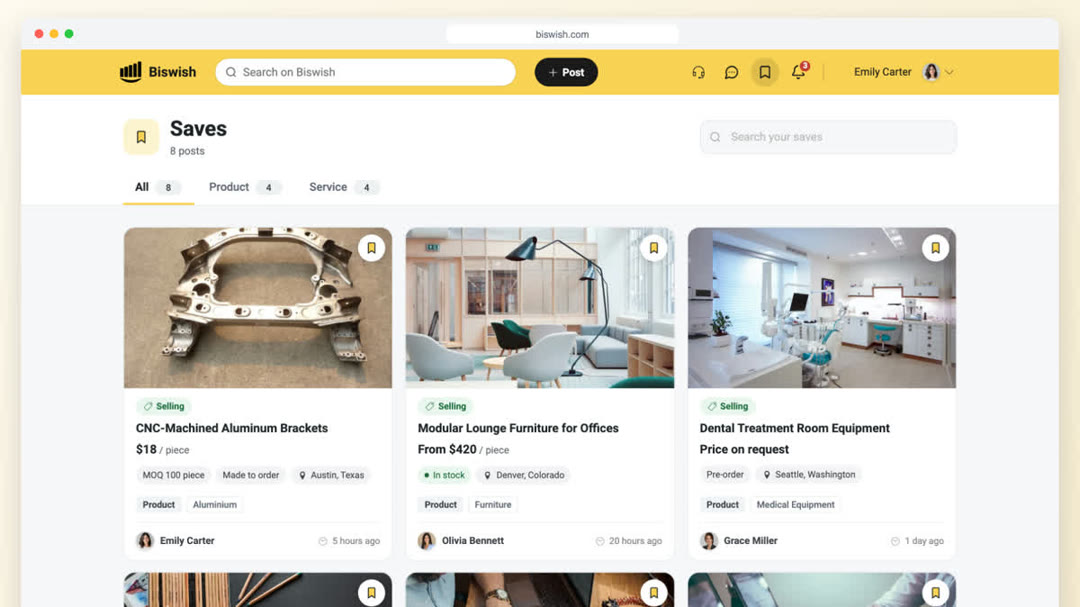
Save any post with the bookmark to build a shortlist of suppliers, products and services.
On a computer
Open a post and select Save. Open the bookmark icon in the top bar to see Saves, with tabs for All, Product and Service and a search box. Share opens a window with the link, Copy link, and apps to share to.
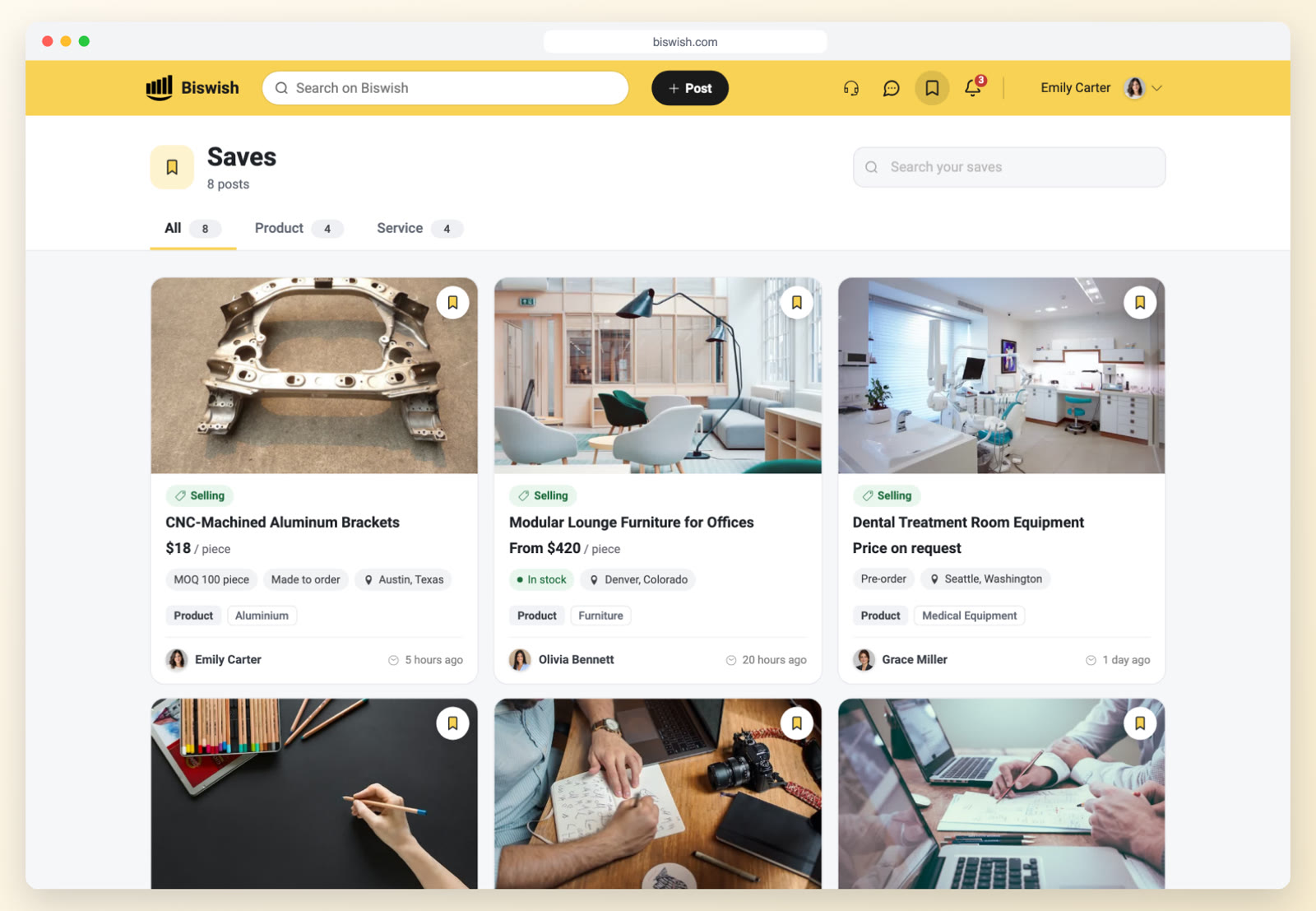
Your saves on a computer.
On your phone
Open a post and tap the bookmark, then open Saves in the bottom bar. It has the same tabs and search box. Share opens a sheet with Copy link, apps to share to and More options, which opens the share options of your phone.
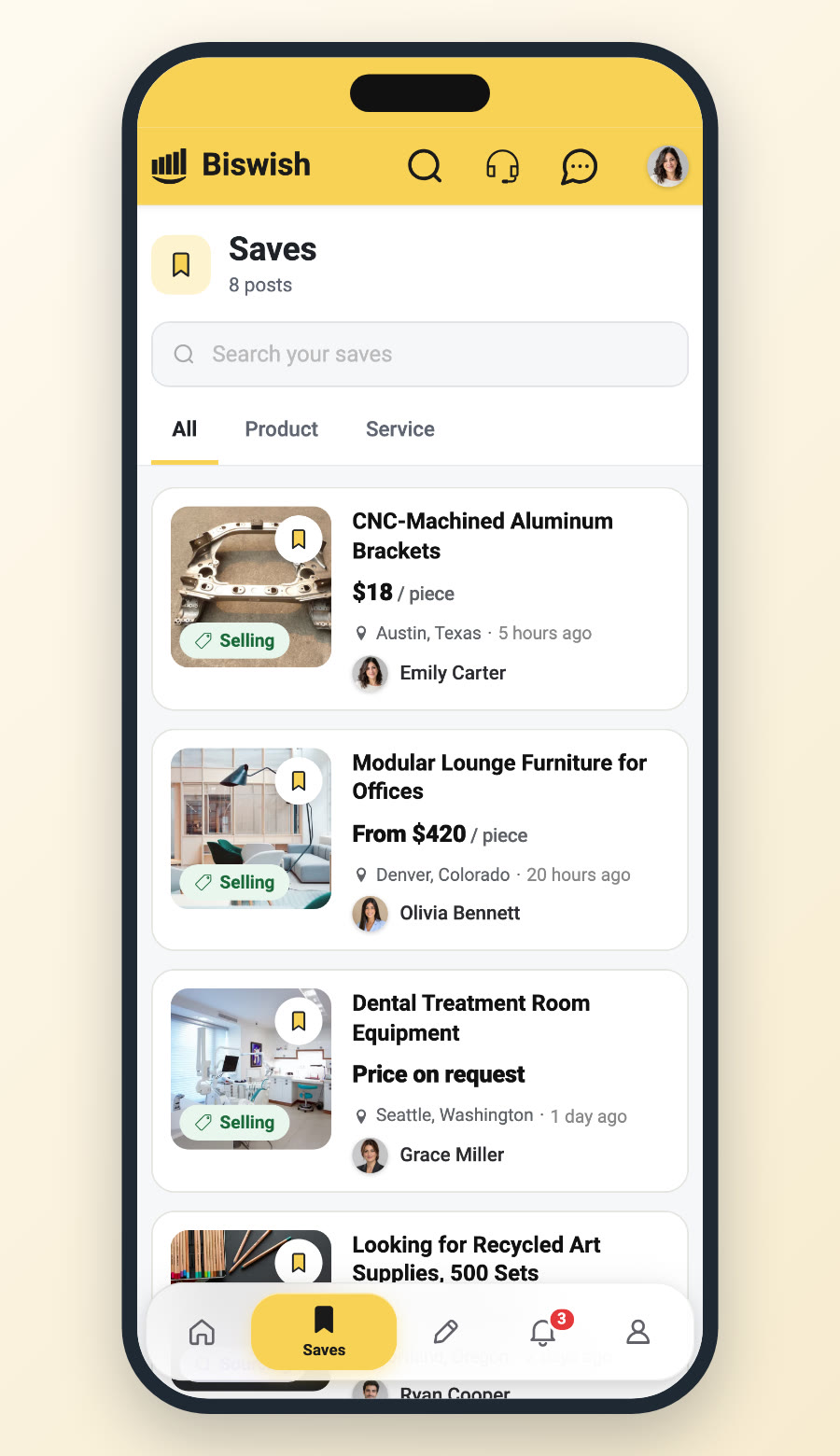
Your saves on a phone.
Keep a shortlist
01
SaveOpen the post and select the bookmark.
02
ReviewOpen Saves and filter by Product or Service.
03
RemoveSelect the bookmark on a card in Saves, or on the post again.
PreviousRead a post and contact the posterNext in Finding suppliers and buyersRead a person’s profile
0
Share
Send in message
Report
Copy ID