Language, region and display
Choose your language, country, dark mode and the help button.
Guide Chanras Sun10 hours ago · 1 min read · 1 view
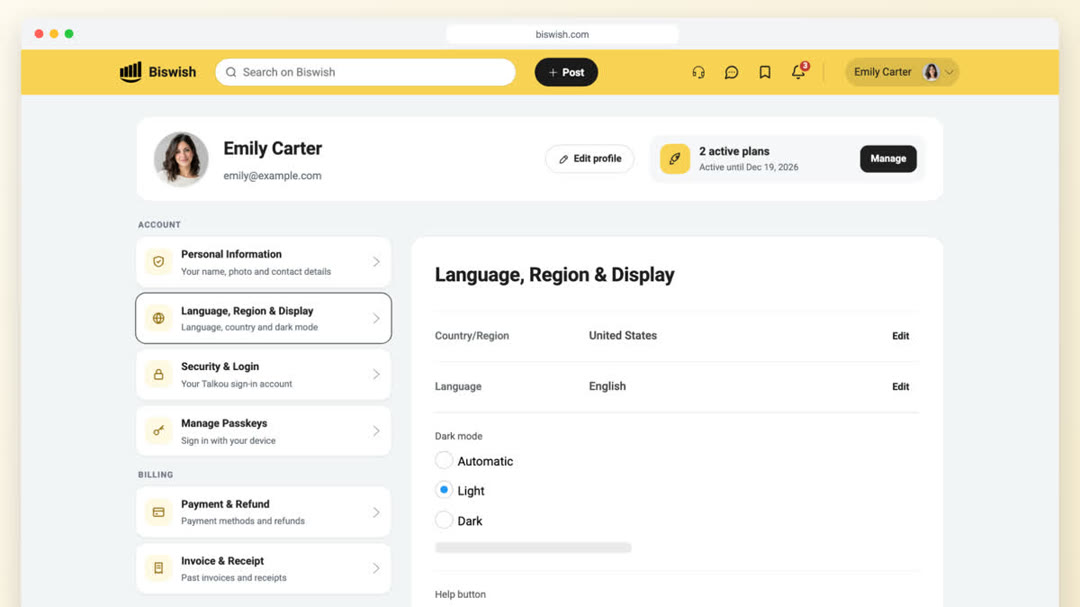
Your country decides which market you search and where your profile can be found. You can still search another country from the location filter. The language applies on the web and in the app, and the page or app reloads when you change it.
On a computer
Open your name, then Language, Region & Display. Before signing in, use the language picker and the moon icon at the top right.
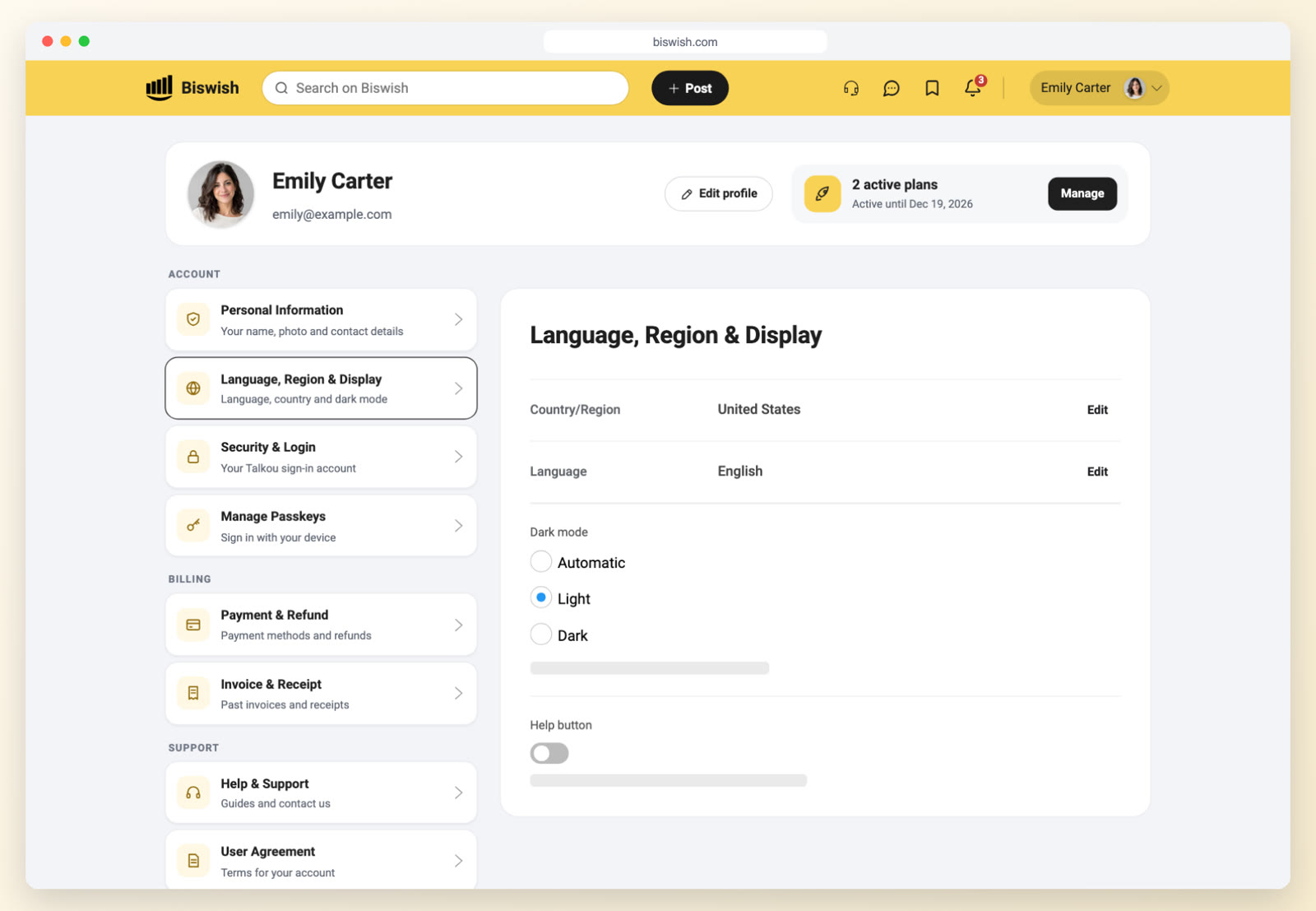
Language, Region & Display.
On your phone
Open Account, then Language, Region & Display. Before signing in, the app has the country, language and dark mode on the welcome screen. In a phone browser the language is in the footer and the moon icon in the header.
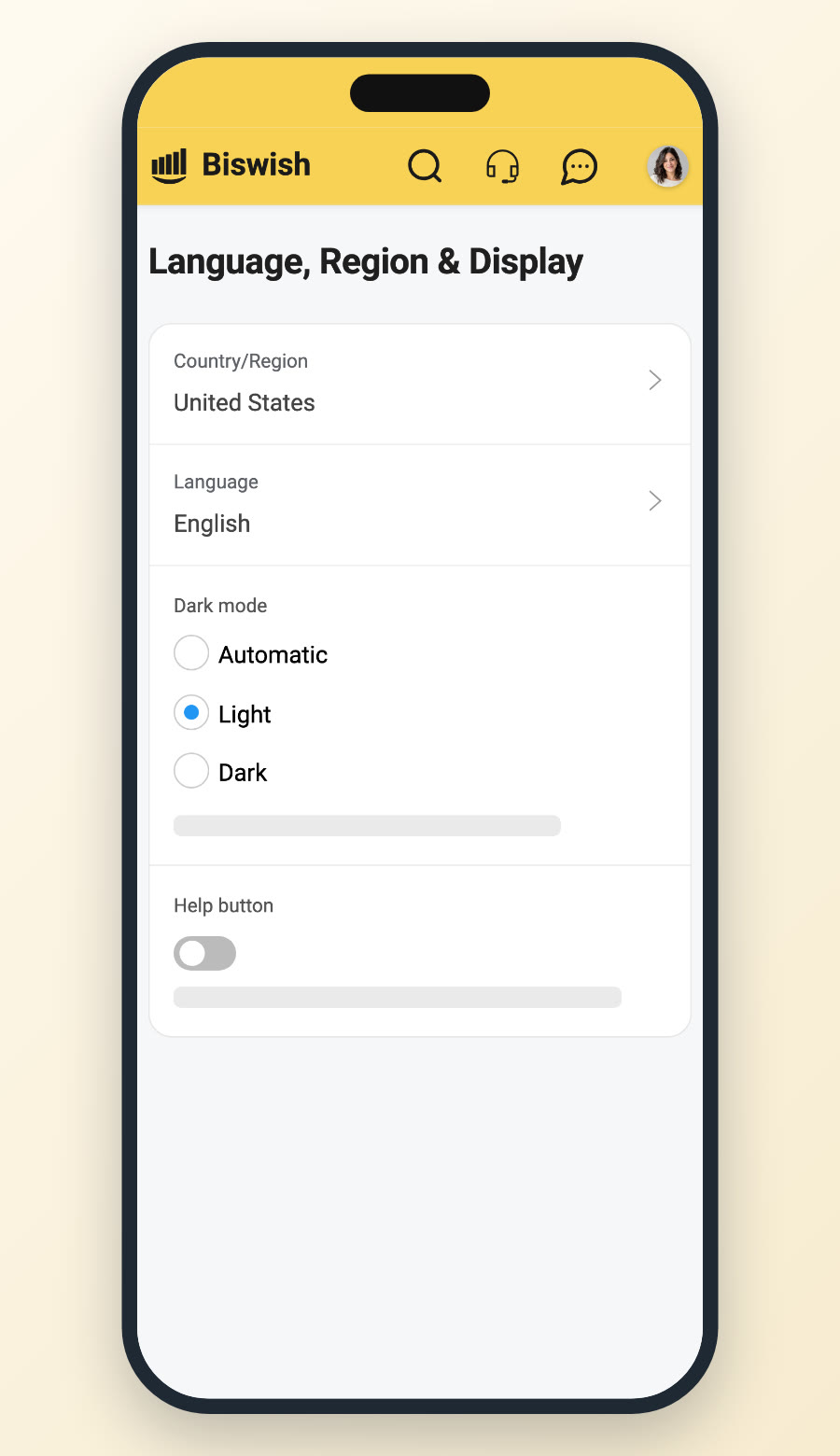
Language, Region & Display on a phone.
Set it up
01
Country/RegionChoose the country you do business in.
02
LanguageThe language of the pages.
03
Dark modeAutomatic follows your device; or choose Light or Dark.
04
Help buttonShow or hide the floating help button.
0
Share
Send in message
Report
Copy ID