Boost a post
Show a post first with your company’s Post Boost plan.
Guide Chanras Sun11 hours ago · 1 min read · 1 view
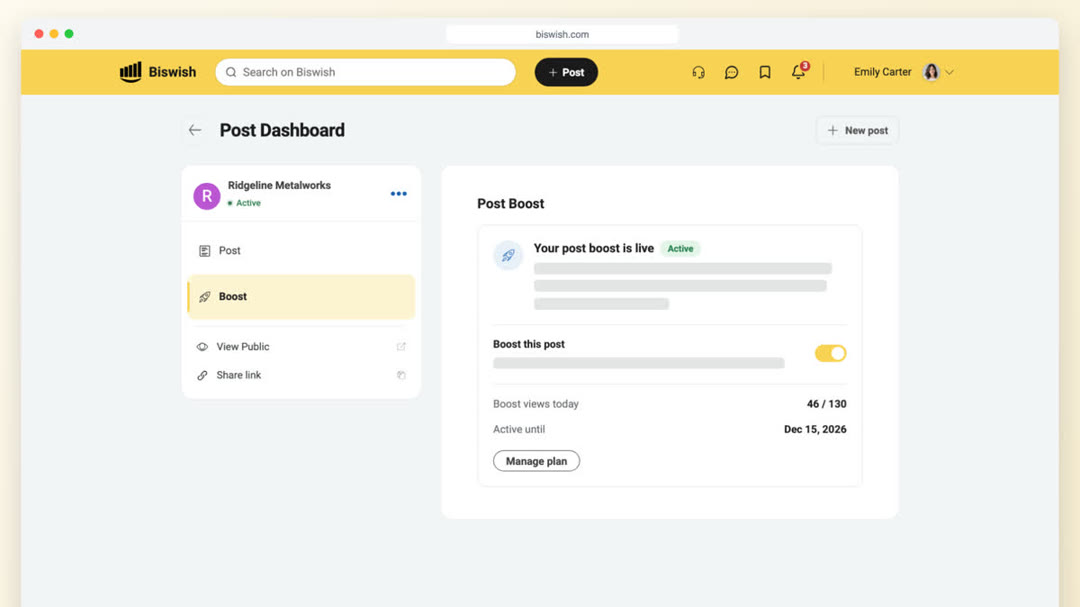
With a Post Boost plan on the company, its active posts are shown first in search, on the home page and next to similar posts, until the day’s boost views are used. The count resets every day. A post shown this way has a Sponsored label.
On a computer
Open Manage on a post, then Boost. The switch Boost this post turns it on or off for that post. Manage plan opens the company’s subscription.
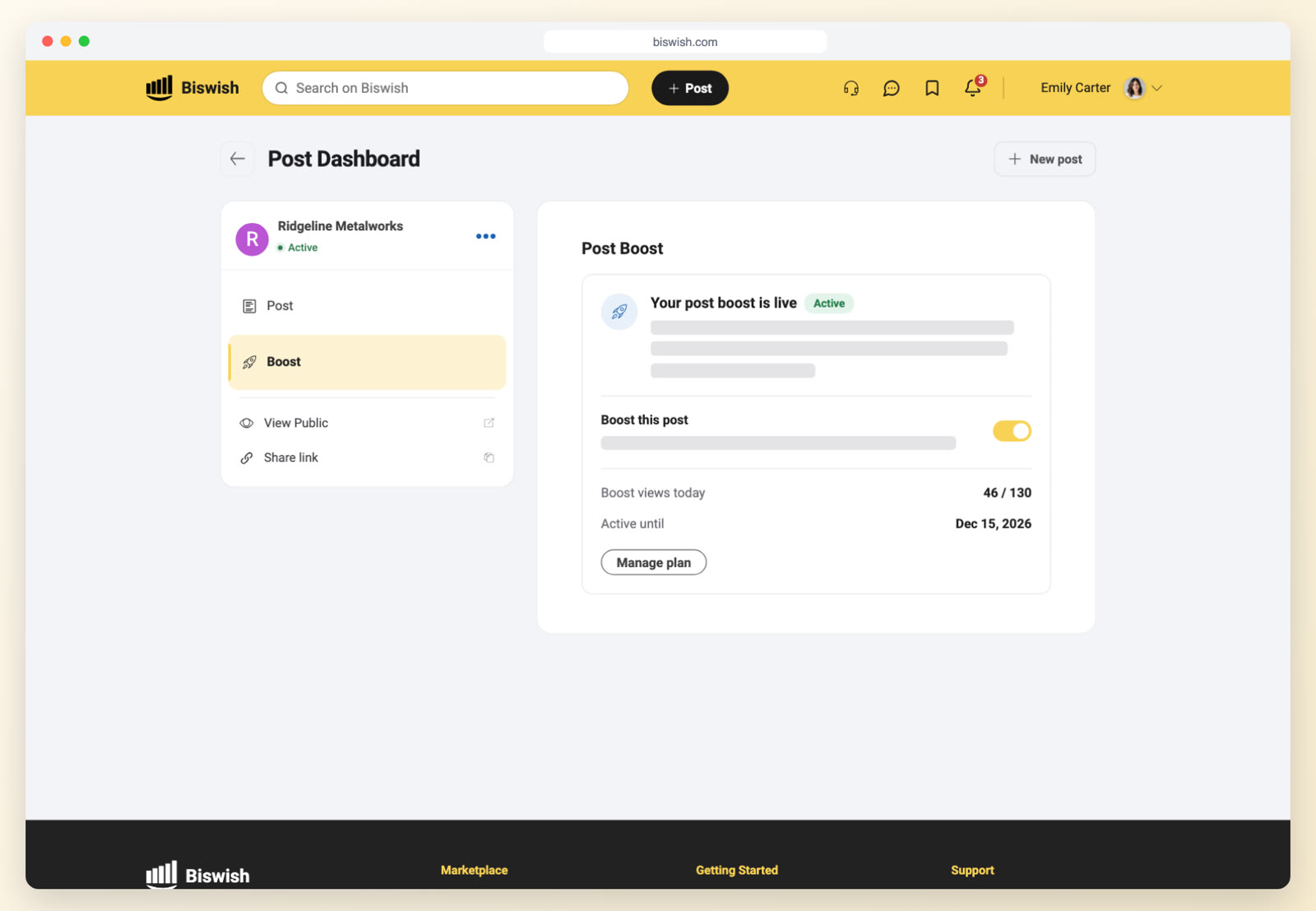
Boosting a post on a computer.
On your phone
Open Manage on a post, then the Boost tab beside Post.
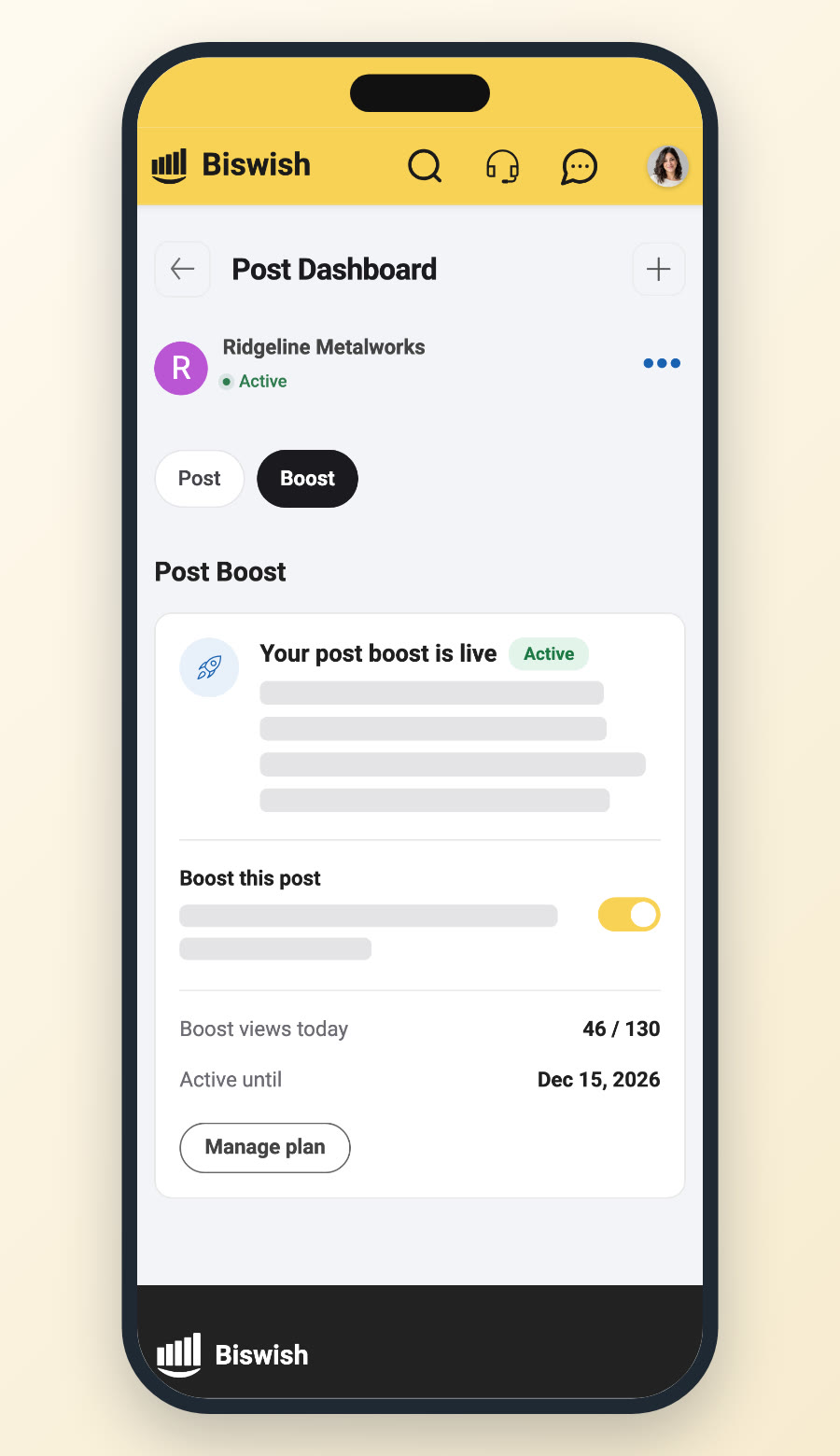
Boosting a post on a phone.
Boost a post
01
SubscribeChoose a Post Boost plan for the company.
02
Check the switchBoost is on for every active post unless you turn it off.
03
Watch the viewsBoost views today shows how many are used.
0
Share
Send in message
Report
Copy ID