Post a product or service to sell
Write a selling post from the first choice to publishing it.
Guide Chanras Sun11 hours ago · 2 min read · 1 view
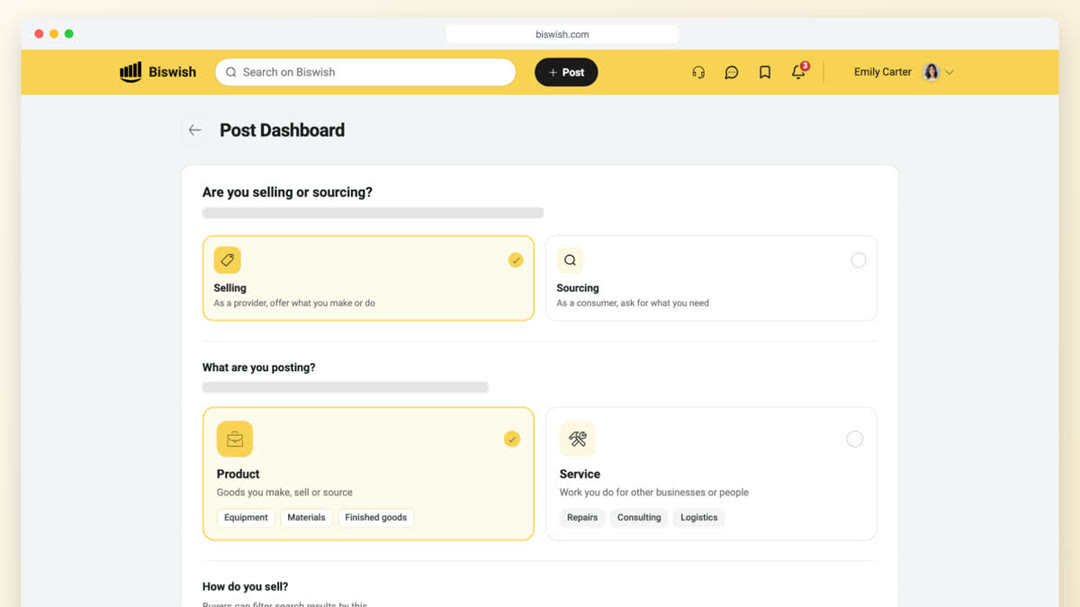
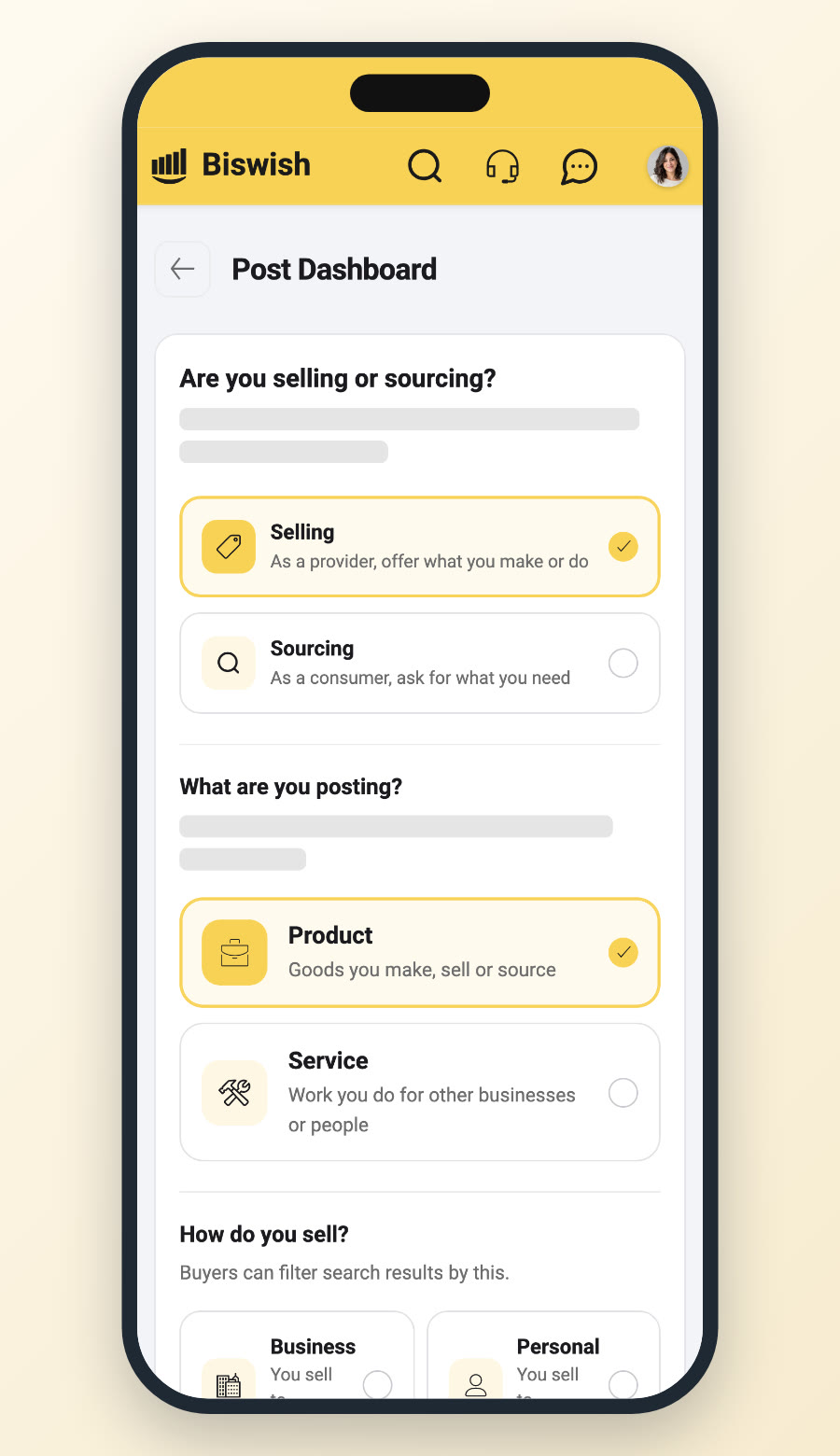
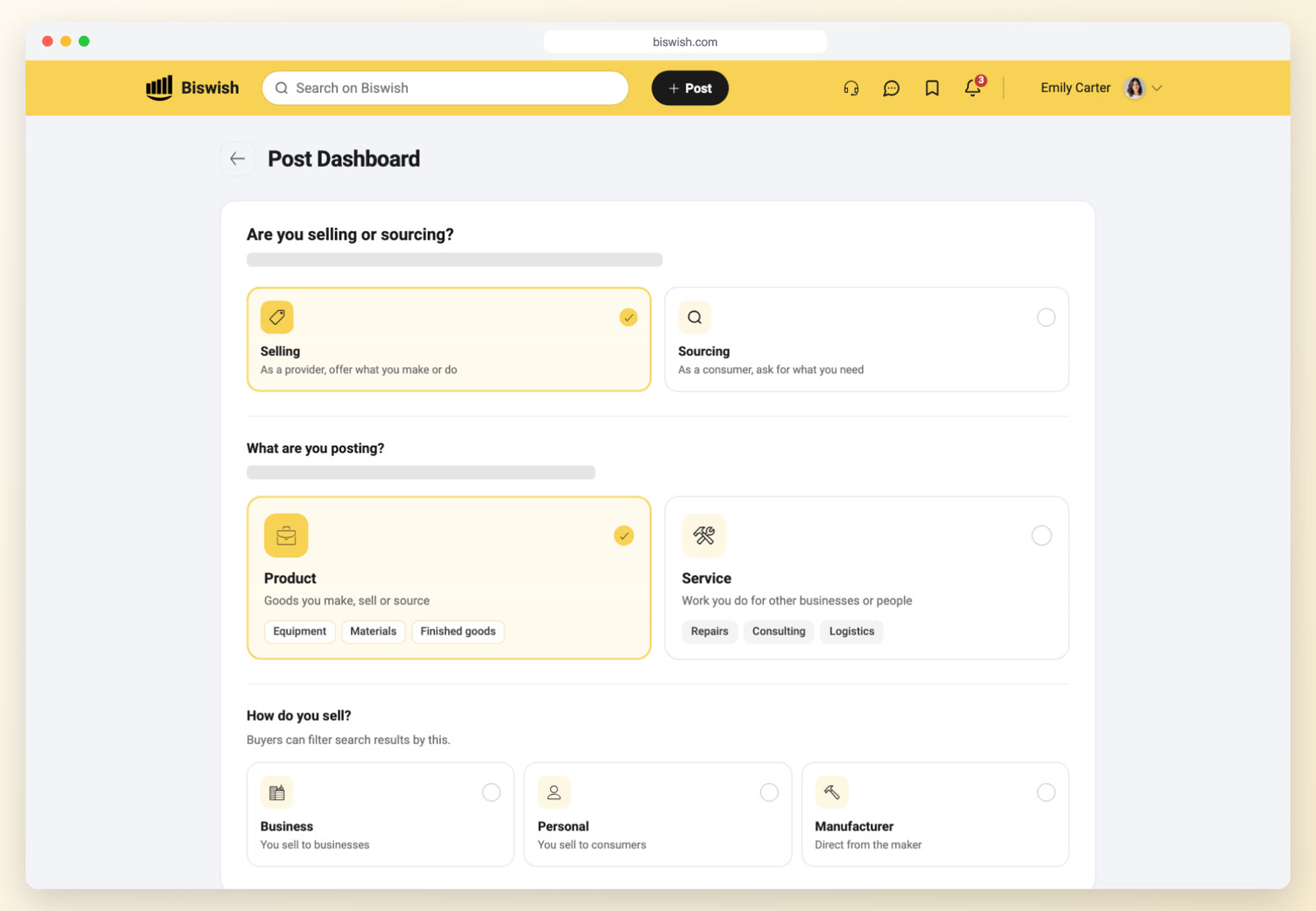
A selling post offers a product or a service. You choose three things first, and they cannot be changed later: selling or sourcing, product or service, and how you sell – to Business buyers, to Personal buyers, or direct as a Manufacturer. The company cannot be changed either, once the post is created. You need a company to post; you can add one from the company list.
Summary
The summary is shown in search results and link previews. Up to 200 characters. Leave it blank to use the start of your description.
Product details
Set the minimum order (leave it empty for any amount), the availability (in stock, made to order or pre-order), the country of origin, and up to 20 specifications, each a name and a value such as Material and Steel.
Service details
Choose the work location (on-site, at your location or remote), the service area (cities or provinces you serve, with a radius in km around them), the working days and the opening hours, or open 24 hours.
Pricing
- Fixed – one price
- From – a starting price
- Range – a lowest and a highest price
- On request – agree the price in chat
Pricing packages let buyers compare up to six plans side by side, monthly, yearly or both. Mark one as most popular. Leave a value empty to show the item with a check mark.
On a computer
On the home page select New Post, make the three choices, then fill in the sections and select Post, or Save as draft to publish it later. Sections ready on the left shows what is complete.
On your phone
Tap New Post on the home page, or Posts in the bottom bar, then New post. The choices are stacked, and the sections follow on one page. A row of section names at the top shows which are finished.